


Some limitations:
- This digital drone logbook will not do automatic calculations and sums on tablets, iPads or smartphones, neither can it save inputs on those devices - it has been developed for use on desktop or laptop computers. This is due to the limitations inherent in the creation of fillable-PDF documents.
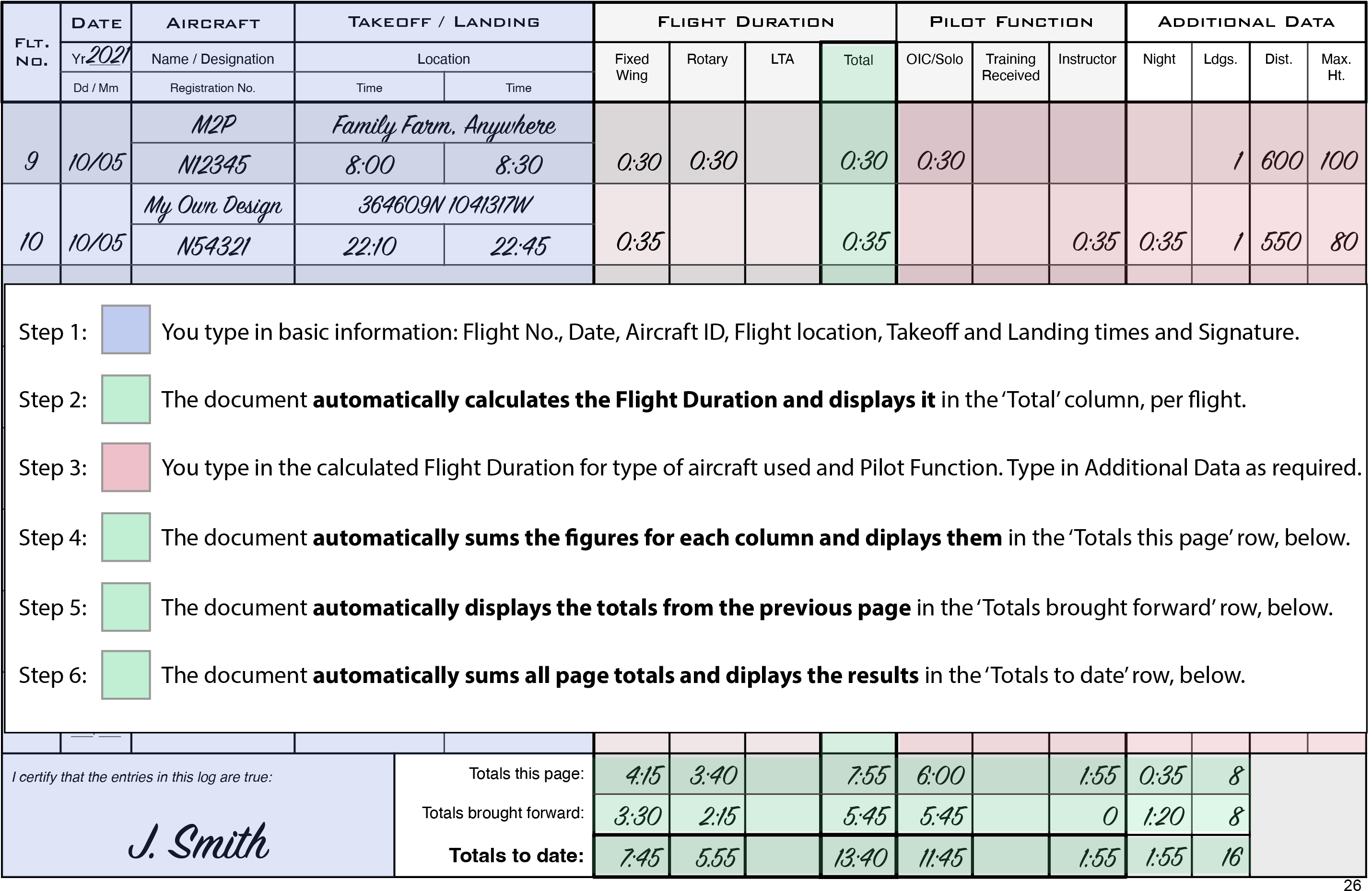
- It does not accept inputs from external data sources, such as drone onboard flight logs. You have to type in the takeoff and landing times of your flights yourself. Flight duration will then be automatically calculated and displayed by the document.
- You additionally have to type in the automatically-calculated flight duration for the different categories of flight that you want to record, such as rotary, fixed-wing, night, instructor, etc. For example, if the document calculated that your flight lasted 20 minutes, it would automatically display 00:20 in the ‘Total’ column for that flight - if you wanted, however, to keep track of your fixed-wing time vs your rotary time, you would type 00:20 into the fixed-wing or rotary column for that flight. The document will automatically sum all of these categories and carry over the sums just as it does for the Total times.
The sample instructions page below shows what you will need to enter and what the document will automatically calculate (the colors are for this example only; they do not appear in the actual book):